
Why WordPress Cron Jobs Run Late — and How to Build Scheduled Tasks That Don’t Break
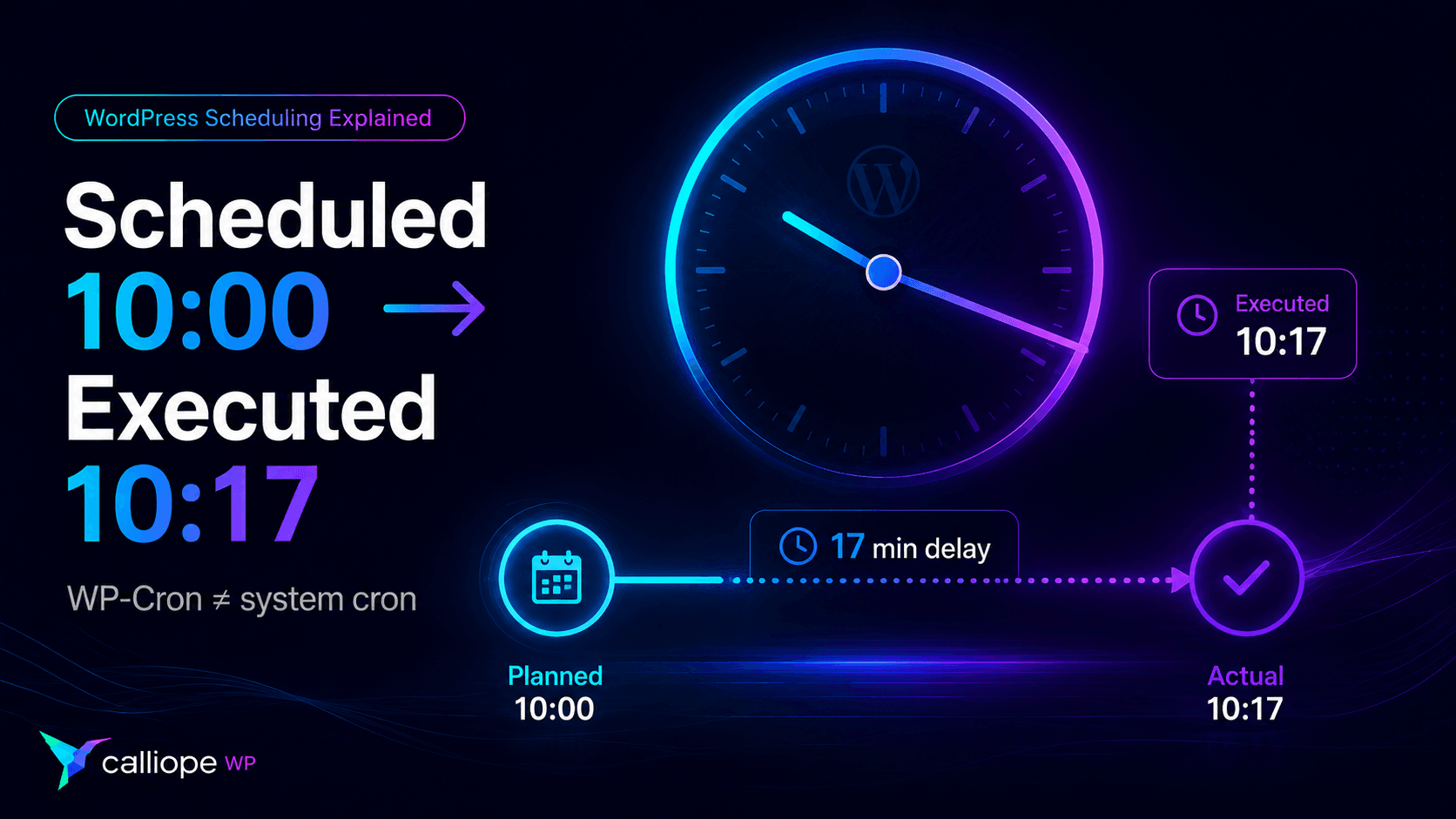
You schedule a WordPress task for 10:00 AM.
At 10:00, nothing happens.
At 10:17, someone visits the site — and suddenly the task runs.
Or worse: the task runs twice.
If you have ever debugged a scheduled email, an API synchronization, a cleanup routine or a background process in a WordPress plugin, you have probably met one of the most misunderstood parts of WordPress:
WP-Cron is not a real cron daemon.
It is a scheduling system designed to work inside the constraints of WordPress.
That distinction explains many of the strange behaviors developers encounter when they start building scheduled tasks.
Understanding it also makes cron-related bugs much easier to prevent.
Quick diagnosis: late, duplicated or never running?
Before digging into the architecture, it helps to separate the three symptoms developers usually report.
- Runs late: the event may be scheduled correctly, but WordPress did not get an opportunity to process it at the expected time. Check traffic patterns and whether cron spawning works.
- Runs twice: first inspect the cron queue for duplicate events, then check whether two executions can overlap and whether the callback is idempotent.
- Never runs: verify that the event exists, that its callback is actually hooked, and that WordPress can spawn WP-Cron.
A useful first command is wp cron test. It tests WordPress’s cron spawning system before you spend time debugging a callback that may not be the problem at all.
What WP-Cron actually does
A traditional Unix cron daemon runs continuously on the server.
You can tell it:
Run this command every day at 02:00.
and the operating system is responsible for triggering it at that time.
WP-Cron works differently.
WordPress stores scheduled events and checks whether any of them are due when the site gets an opportunity to run the cron system. The official Plugin Handbook describes WP-Cron as an opportunity-driven scheduler rather than a continuously running system daemon.
That means a scheduled timestamp is better understood as:
Do not run before this time.
Run at the next available opportunity after it.
rather than:
Run at exactly this time.
This distinction matters.
Imagine a low-traffic site with a task scheduled for 02:00.
If nobody visits the site around that time, the task may not execute at 02:00. It waits until WordPress gets another opportunity to process due cron events.
For many tasks, that is perfectly acceptable.
Deleting old temporary data at 02:14 instead of 02:00 probably does not matter.
Sending a time-sensitive notification 14 minutes late might matter a lot.
WP-Cron is useful precisely because it is not system cron
It would be easy to conclude that WP-Cron is badly designed.
It is not.
WordPress plugins have to run on an enormous variety of hosting environments.
Many users do not have access to:
crontab
SSH, system schedulers or server configuration.
A plugin that required every user to configure a server-level cron job would immediately become much harder to install.
WP-Cron provides a portable scheduling API that works without requiring control of the server.
For plugin developers, that is extremely useful.
The mistake is not using WP-Cron.
The mistake is expecting WP-Cron to provide guarantees it was never designed to provide.
Mistake #1: scheduling the event on every request
One of the easiest cron bugs to introduce looks harmless:
add_action( 'init', function () {
    wp_schedule_event(
        time(),
        'hourly',
        'acme_hourly_sync'
    );
} );
The intention is obvious:
Make sure my hourly task exists.
But wp_schedule_event() does not interpret this as “ensure one copy exists.”
Every call can create another scheduled event. WordPress explicitly warns about this in its WP-Cron scheduling documentation.
After enough requests, the site may contain multiple copies of the same job.
Then developers start seeing symptoms such as:
- duplicate emails;
- repeated API requests;
- the same cleanup executing several times;
- duplicate imports;
- unexpectedly high CPU usage;
- a growing cron queue.
The correct question before scheduling a recurring event is:
wp_next_scheduled( 'acme_hourly_sync' )
A safer pattern is:
if ( ! wp_next_scheduled( 'acme_hourly_sync' ) ) {
    wp_schedule_event(
        time() + MINUTE_IN_SECONDS,
        'hourly',
        'acme_hourly_sync'
    );
}
Now WordPress checks whether a future event already exists before creating another one.
There is one important detail: if the event uses arguments, pass the same arguments to wp_next_scheduled(). WordPress uses the hook and its arguments to identify the event. Mismatched arguments can make an existing event look missing and lead to accidental duplicates.
A better plugin lifecycle
For plugin-controlled recurring jobs, activation and deactivation are usually better places to manage the schedule.
For example:
register_activation_hook( __FILE__, 'acme_activate' );

function acme_activate() {
    if ( ! wp_next_scheduled( 'acme_hourly_sync' ) ) {
        wp_schedule_event(
            time() + MINUTE_IN_SECONDS,
            'hourly',
            'acme_hourly_sync'
        );
    }
}
Then register the callback normally:
add_action( 'acme_hourly_sync', 'acme_run_hourly_sync' );

function acme_run_hourly_sync() {
    // Perform the scheduled work.
}
And clean up the schedule when the plugin is deactivated. wp_clear_scheduled_hook() removes all matching events for the hook and arguments you provide:
register_deactivation_hook( __FILE__, 'acme_deactivate' );

function acme_deactivate() {
    wp_clear_scheduled_hook( 'acme_hourly_sync' );
}
This gives the scheduled task a lifecycle that matches the plugin that owns it.
Activate the plugin:
schedule created
Deactivate it:
schedule removed
That is much easier to reason about than continually creating or checking schedules throughout normal page requests.
Mistake #2: assuming “hourly” means “at the start of every hour”
WP-Cron recurring events work from an initial timestamp plus a recurrence interval. The official scheduling guide explains this interval-based model in detail.
For example, if the first run is intentionally set to 10:23 in the site’s timezone:
$first_run = ( new DateTimeImmutable(
    'tomorrow 10:23',
    wp_timezone()
) )->getTimestamp();

wp_schedule_event(
    $first_run,
    'hourly',
    'acme_task'
);
Using wp_timezone() makes the intended site timezone explicit. wp_schedule_event() ultimately receives a Unix timestamp, so avoid assuming that a PHP date expression automatically represents the timezone configured under WordPress Settings.
That schedule conceptually creates a sequence around:
10:23
11:23
12:23
13:23
...
It does not mean:
11:00
12:00
13:00
...
And because WP-Cron is opportunity-driven, even those timestamps should not be treated as exact execution deadlines.
The actual execution might look more like:
Scheduled       Executed
10:23           10:24
11:23           11:23
12:23           12:31
13:23           13:25
Whether that is a problem depends entirely on what the job does.
Mistake #3: putting too much work inside one cron callback
Suppose an importer needs to process 20,000 records.
A tempting implementation is:
add_action( 'acme_import', function () {
    foreach ( get_all_20000_records() as $record ) {
        process_record( $record );
    }
} );
Now one cron execution owns all 20,000 records.
That creates several possible failure modes:
PHP timeout
memory exhaustion
remote API timeout
database connection interruption
process termination
hosting resource limit
And if record 18,742 fails, what happens to the first 18,741?
What happens when WordPress retries the process?
What happens if another copy starts before the first one finishes?
Large workloads should usually be broken into smaller units.
Instead of:
Cron
 └── Process 20,000 items
prefer an architecture closer to:
Cron
 └── Discover work
      ├── Batch 1
      ├── Batch 2
      ├── Batch 3
      ├── Batch 4
      └── ...
A scheduler should decide what work is due.
It does not necessarily need to perform the entire workload itself.
Mistake #4: forgetting idempotency
This is one of the most important concepts in reliable background processing.
A scheduled task should ideally be safe if it runs more than once.
Consider:
function acme_send_invoice() {
    create_invoice();
}
If that function somehow runs twice:
invoice #1042
invoice #1043
you have a real problem.
Now imagine instead that the job receives an order ID:
function acme_send_invoice( $order_id ) {
    if ( invoice_already_exists( $order_id ) ) {
        return;
    }

    create_invoice_for_order( $order_id );
}
The second execution becomes harmless.
This property is called idempotency.
Running:
job(order_123)
once or several times should leave the system in the same correct final state whenever possible.
This principle is useful far beyond WP-Cron.
It matters for:
- payment callbacks;
- webhooks;
- imports;
- email queues;
- API synchronization;
- retry systems;
- order processing;
- external publishing;
- background migrations.
When designing a scheduled callback, ask:
What happens if WordPress executes this twice?
If the answer is “something bad,” the job probably needs another layer of protection.
Mistake #5: confusing locks with idempotency
Developers often solve overlapping jobs with a lock.
Conceptually:
Job starts
↓
Acquire lock
↓
Perform work
↓
Release lock
Another worker arrives:
Lock exists
↓
Stop
Locks are useful.
But a lock and idempotency solve different problems.
A lock tries to prevent two processes from operating simultaneously.
Idempotency tries to make repeated execution safe.
Ideally, important background work considers both.
Because locks can fail too.
A PHP process may die before releasing one.
A database connection can disappear.
A server can restart.
A timeout can interrupt execution.
A stale lock should not permanently disable the job, and a missing lock should not allow the job to corrupt data.
Reliable systems assume that failures will eventually happen.
They design the recovery path before they happen.
Mistake #6: using WP-Cron when exact timing is actually required
Sometimes the problem is not your plugin code.
The requirement itself is incompatible with normal WP-Cron behavior.
Consider:
Send a cleanup task sometime overnight.
WP-Cron is probably fine.
Now consider:
Trigger an external process at exactly 09:00 every weekday.
That is a different requirement.
If execution timing really matters, WordPress documents how to hook WP-Cron into the system task scheduler so that traffic is no longer responsible for waking the queue.
A common configuration disables the automatic WP-Cron trigger in wp-config.php:
define( 'DISABLE_WP_CRON', true );
Then the server invokes WordPress cron on a predictable interval.
For example, a system cron could trigger it every five minutes. On a Linux server, one possible pattern is:
*/5 * * * * wget --delete-after -q https://example.com/wp-cron.php
Replace example.com with the real site URL and adapt the command to the server environment. If you control the server and already use WP-CLI, invoking cron through a CLI-based workflow can also be preferable because it avoids depending on a normal browser request.
Conceptually:
System cron
every 5 minutes
      ↓
wp-cron.php
      ↓
WordPress checks due events
      ↓
callbacks execute
This removes the site’s traffic pattern from the scheduling equation.
The WordPress scheduling API can remain exactly the same.
Your plugin can still call:
wp_schedule_event()
The difference is simply what wakes WordPress up to process the queue.
That separation is useful:
Plugin
defines when work is due

Server
provides reliable wake-ups
Testing WP-Cron with WP-CLI
You should not have to wait an hour to discover whether a cron callback works.
WP-CLI provides dedicated cron commands for testing the spawning system, inspecting scheduled events and running callbacks manually.
First, check whether WordPress can spawn cron normally:
wp cron test
Then inspect the queue with wp cron event list:
wp cron event list
You can inspect fields such as:
hook
next_run_gmt
next_run_relative
recurrence
If you want to find your own event:
wp cron event list --fields=hook,next_run,recurrence
Then run a specific hook immediately:
wp cron event run acme_hourly_sync
Or execute everything that is currently due:
wp cron event run --due-now
This separates two very different debugging questions.
Question 1
Does my callback work?
Run it manually.
Question 2
Is WordPress scheduling or triggering it correctly?
Inspect the cron queue.
That distinction can save a surprising amount of debugging time.
When WP-Cron is enough
You do not need a queue system for every background operation.
WP-Cron is a good fit for jobs such as:
daily cleanup
periodic cache maintenance
refreshing remote data
sending a digest
checking an API occasionally
removing expired temporary records
running small maintenance routines
Especially when:
the job is small
exact timing is not critical
the operation is safe to repeat
the workload is predictable
For those tasks, adding more infrastructure may create complexity without solving a real problem.
When you should consider Action Scheduler
Nemanja Cimbaljevic, “Crond service, WP Cron and why Action Scheduler does it better,” WordCamp Lisboa 2025. Embedded from WordPress.tv, licensed CC BY-SA 4.0.
Eventually some plugins outgrow a simple recurring callback.
Imagine a plugin that needs to process:
5,000 imports
2,000 webhooks
800 emails
300 API requests
Now the problem is not merely:
Run something every hour.
It becomes:
Manage a queue of thousands of individual jobs and know what happened to each one.
That is where a job queue such as Action Scheduler becomes interesting.
Action Scheduler is a scalable, traceable job queue designed for background processing in WordPress. It provides individually scheduled actions, persistent queue storage, execution logs and an administration interface for inspecting what happened to each action.
Instead of one giant callback:
hourly_sync()
    └── process everything
you can move toward:
discover_work()
    ↓
queue item A
queue item B
queue item C
queue item D
...
Each piece of work becomes independently trackable.
That can make retries, debugging and failure isolation much easier.
But there is an important nuance.
Action Scheduler does not magically turn WordPress into a real-time operating-system scheduler.
By default, Action Scheduler is initiated by WP-Cron and also checks for pending work on the shutdown hook of WordPress admin requests. It can also be triggered through other runners, including WP-CLI, so it should not be treated as a replacement for every scheduling or wake-up mechanism.
It solves a different problem:
WP-Cron
When should work become due?

Action Scheduler
How do I manage many pieces of background work?
And a server cron can solve another:
How do I reliably wake WordPress up?
The Action Scheduler FAQ explicitly describes it as working alongside WP-Cron by default, while allowing other queue runners when needed.
Those tools can complement each other.
They are not necessarily competitors.
A useful mental model
Think of background processing as three separate layers.
Layer 1 — Scheduling
When should this work happen?
For example:
every hour
tomorrow
in five minutes
once per day
Layer 2 — Triggering
What causes WordPress to notice that work is due?
For example:
normal WordPress traffic
system cron
WP-CLI
another worker
Layer 3 — Execution
How is the actual workload processed safely?
For example:
single callback
small batches
job queue
retryable actions
Many WordPress cron problems happen because these three responsibilities are treated as one thing.
They are not.
Before shipping a scheduled task
When you add background work to a plugin, run through this checklist:
- Is the event scheduled only once?
- If the event has arguments, are the same arguments used when checking or clearing the schedule?
- Can it accidentally create duplicate events?
- Is the callback safe to execute twice?
- Can two copies overlap, and if so, do you need a lock?
- Can a stale lock recover automatically?
- What happens if PHP stops halfway through?
- Does a failed operation retry safely?
- Is the workload small enough for one request, or should it be split into batches?
- Does the task actually require exact timing?
- Can you inspect the schedule when a user reports a problem?
- Can you run the callback manually during debugging?
And finally:
If this site receives almost no traffic for six hours, what happens?
That last question catches a lot of WP-Cron assumptions.
WP-Cron is usually not the bug
When developers first encounter delayed cron execution, it is easy to blame WordPress.
But many cron problems are really architecture problems.
The job assumed exact timing.
The event was scheduled repeatedly.
The callback was not idempotent.
The workload was too large.
There was no way to inspect failures.
Or a background queue was needed instead of one enormous callback.
WP-Cron becomes much easier to work with once you stop treating it as a Unix cron replacement.
Use it for what it does well.
Add a real server scheduler when timing matters.
Use a job queue when the workload becomes a queue.
And design the callback as if someday it will run twice.
Because eventually, somewhere, it probably will.
Official technical references
- Cron — WordPress Plugin Developer Handbook
- Scheduling WP-Cron Events — WordPress Plugin Developer Handbook
- Understanding WP-Cron Scheduling — WordPress Plugin Developer Handbook
- Hooking WP-Cron Into the System Task Scheduler — WordPress Plugin Developer Handbook
wp_schedule_event()— WordPress Code Referencewp_next_scheduled()— WordPress Code Reference- WP-CLI Cron Commands — WordPress Developer Resources
- Action Scheduler — Official Documentation